Dashboard
Key figures, "Needs attention" with the action that resolves each item, quick actions, a map preview, upcoming arrivals, pending pickups, driver assignments, shipment performance and facility activity.
See
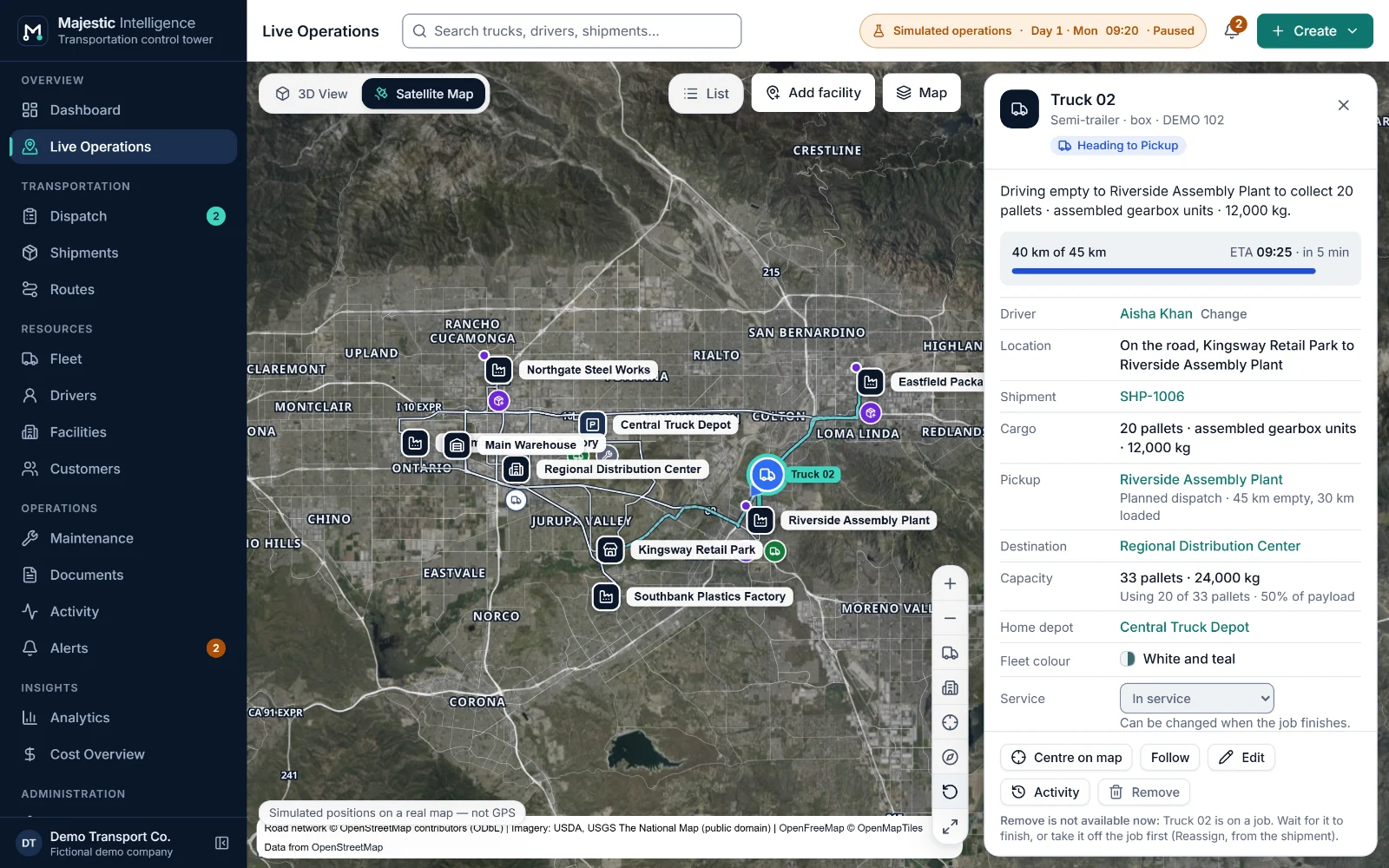
The control tower is where the day is watched. The Dashboard opens on the figures that matter and the items that need a decision. Live Operations shows every truck and facility on a satellite map at real coordinates, or as a 3D view of the same operation, with the full operations list beside it.
The problem
Most trucking operations are watched through phone calls and spreadsheets. By the time someone notices that a truck is waiting for a dock or a delivery deadline is slipping, the moment to act has often passed.
The value
Majestic Intelligence turns the operation into one picture that an owner and a dispatcher read the same way: what every truck is doing, where the goods are, and what needs attention now, with the reason and the next step written out.
What it does
Each of these is on a screen of the working demo. Open it to try it on the simulated operation.
Key figures, "Needs attention" with the action that resolves each item, quick actions, a map preview, upcoming arrivals, pending pickups, driver assignments, shipment performance and facility activity.
A 3D view of the facilities on a schematic industrial plan, and a satellite map with labels, satellite, road and dark base maps. Both show the same trucks at the same moment and share the selection.
Each truck is drawn along the road it is driving, from its motion plan. Journeys are solid when loaded and dashed on an empty run, and the selected truck's way ahead is highlighted.
Trucks, shipments, facilities and activity in tabs, with status filters and search. Selecting anything opens its detail: status, driver, shipment, cargo, ETA and recent events.
Each alert says what happened, why it matters and what to do, with buttons for the fix. "Action needed" for decisions now; "Watch" for things worth knowing.
Fit all trucks or facilities, focus on the selection, follow a truck, tilt, point north, full screen, a saved starting view, and an offline map from bundled roads when imagery cannot be reached.
Benefits
More features
A dispatch board by stage, suggested trucks with the reasons in words, and planned dispatch by rules you can read.
Every shipment with its timeline, priority and deadline, and its bill of lading and proof of delivery tracked to the end.
Trucks, drivers and shifts, and maintenance work orders that dispatch respects.
See it working
Open the working product: trucks loading, on the road and unloading across California’s Inland Empire. No sign-up; nothing connects to real systems.
Built by METHODSS
METHODSS adapts Majestic Intelligence to your fleet, sites and rules and connects it to your data, or designs and builds new logistics software with you.